
How to Search Cases by Name
Match the case to its court first. Felonies, family law, and major civil disputes usually sit in the 286th District Court, with records at the District Clerk. Class A or B misdemeanors, probate, and county-level civil cases belong to County Court and the County Clerk. Fine-only criminal matters, traffic, evictions, and small claims stay with the JP or municipal court that issued them.
- Read the notice, citation, bond paper, or prior order for the court name.
- For County Court criminal matters, open the docket PDF archive, select a likely date and type, and use PDF find for the person's name if the file is text-readable.
- For district matters, use the District Clerk's official search link or registered re:SearchTX access. Check spelling variants and narrow by court or case type.
- Compare the party, court, case type, and date. A shared name alone is not enough to establish a match.
- Call or visit the proper clerk if the file is absent, scanned, new, sealed, or unclear.
The archive works like a stack of dated lists rather than one master index. Some older PDFs are image-only. A browser search may skip a name even when you can see it plainly on the page.
Hockley Uses Court-Specific Searches
Hockley County splits its searches by court, and each source does one job. County Court PDFs list published criminal settings. The District calendar gives hearing dates but not party searches. The District Clerk links a records portal. JP and municipal courts handle their own matters. Federal cases sit outside the Texas county system altogether.
| Matter | First source | Fallback |
|---|---|---|
| County misdemeanor | County Court docket PDF | County Clerk or county main line |
| Felony, family, district civil | District Clerk route | Suite 316, phone, fax, or mail |
| JP or city case | Issuing lower court | Court phone or counter |
| Federal case | PACER | Northern District of Texas clerk |
That division guards against a common mistake: searching a handy portal that never held the case you want.
How to Search by Case Number
A full case number is your best key once the court is known. Copy it from a notice or filed paper exactly. Keep every letter, punctuation mark, and leading zero. Hockley samples label the field CASE NO. or CASE #, and formats vary across local courts. Never invent or trim a prefix. Enter the number only in the issuing court's system. If the search rejects it, retype the exact printed form. Then ask the clerk whether the portal drops punctuation. The County Court archive has no case-number form. So open the likely PDF and search inside it. When asking the clerk for help, give the number, court, party style, and rough date.
Inside Hockley County Docket PDFs
The June 29, 2026 Hockley County criminal docket shows why a PDF match needs context. Each row carries run date, case number, time, party, prosecutor, court action, offense, attorney or bondsman, defendant, and bond. That covers the criminal docket format. Local action codes include STATUS, NTA, REVOCATION, GP, PRO-SE, and ATTY STATUS. An April arraignment list sticks to name, charge, case number, bondsman, attorney, and notes. The official archive page lists the dates and docket categories offered. Remember what a row is. It marks an event or status, nothing more. It does not prove the scheduled act ever happened. Orders, pleadings, or a certified result require the file itself. That file sits with the office that keeps it.
What a Case Search Shows
A good Hockley County case search result gives you enough detail to separate one matter from another with a near-identical party name. Court, case number, and date together do that work.
| Court | The court that owns the file and can confirm access. |
|---|---|
| Case number | The local identifier used for follow-up and copy requests. |
| Party or style | The names attached to the matter, subject to redaction or restriction. |
| Case type | Criminal, civil, family, probate, traffic, or another category. |
| Setting or action | A scheduled event or docket label, not always a final result. |
| Filings | Entries or documents available under that system's permissions. |
Treat a search result as a locator, not the record. For a reliable copy of an order or judgment, use the Hockley County court record search and request routes.
Hockley State Search Account
re:SearchTX is the statewide research layer named in official Texas material. It runs on an account tied to eFileTexas credentials or fresh registration. Its guide covers searches for Cases, Filings, Text in Documents, and Hearings. It also adds filters, saved searches, and export options. Access fees and document charges appear in the live account. The official login and registration screen draws that line clearly.
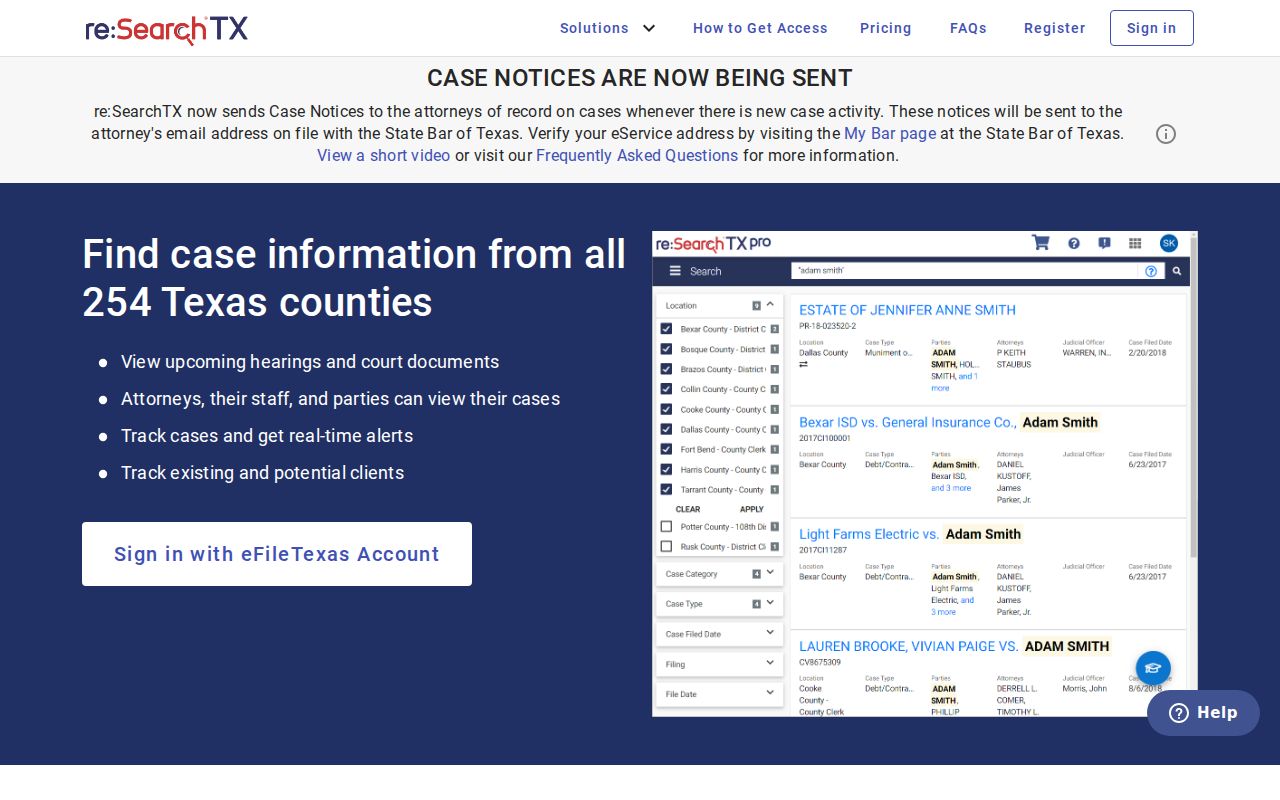
The statewide route is registered, not free and open. Nothing here promises that every Hockley County record is present.
County vs Statewide Case Search
County and statewide routes overlap, yet they serve different purposes. Let what you already know about the matter pick the tool.
| Point | Hockley court source | re:SearchTX |
|---|---|---|
| Access | Public PDFs, calendar, clerk, or court-specific portal | Registration and sign-in |
| Best clue | Court and likely docket date | Name, number, filing, text, or hearing filters |
| Coverage | Only the selected local source | Records available in participating Texas systems |
| Verification | Originating clerk or court | Originating clerk or court |
When a case is restricted, freshly filed, or stuck in a legacy format, only the clerk's office can supply it.
eFileTexas Is Not Case Lookup
eFileTexas is the filing front end. It is built for submitting documents and tracking filing workflow. Hockley shows up in the state active-courts table with filing indicators. That still does not make it an anonymous public docket viewer. The state filing screen makes the role plain.
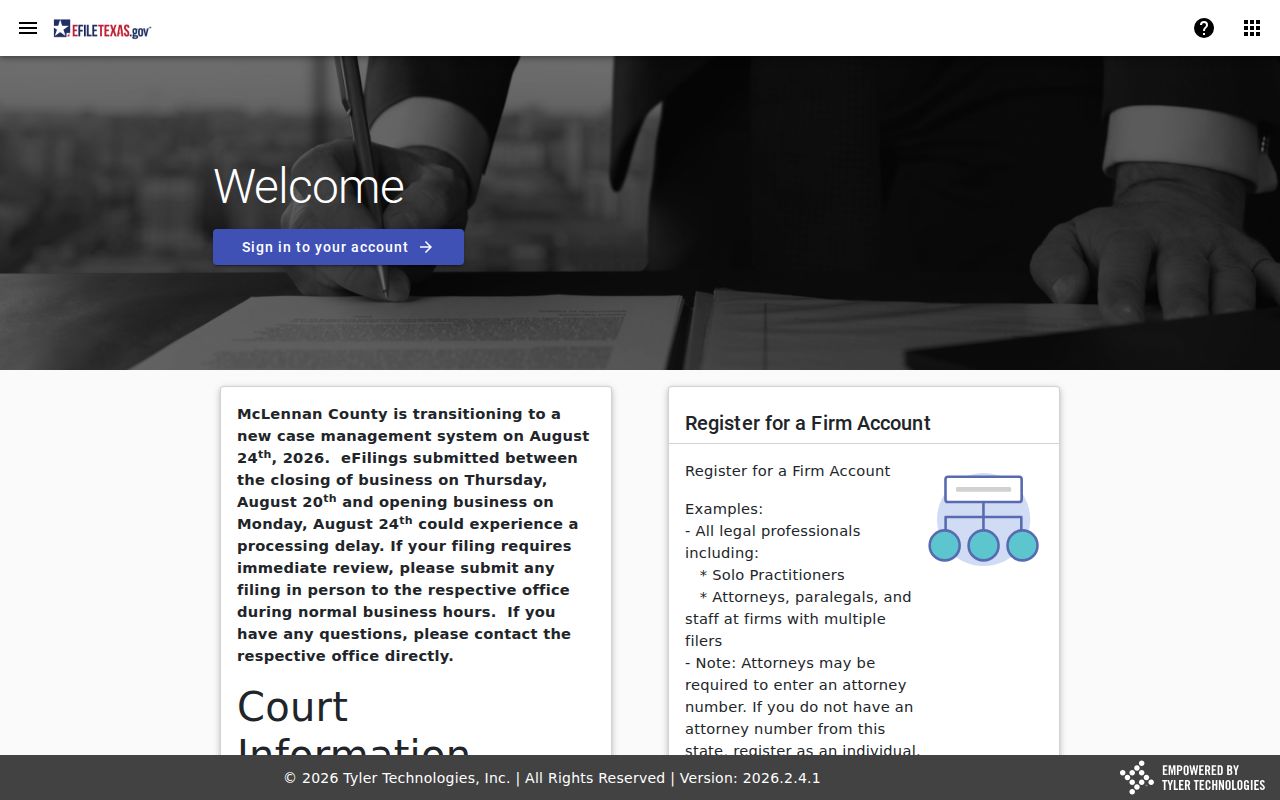
File through it when authorized, but do not treat it as a public case lookup. Start with the proper court source or a registered research system.
Filing is not searching. A filing receipt or envelope status concerns submission. The docket and case file remain with the court and clerk.
Hockley Property Search Is Separate
The County Clerk links PublicSearch and CountyFusion for land records. PublicSearch fields cover Real Property, search terms, recorded dates, index-only or OCR scope, and other instrument data. None of that touches court parties, criminal case numbers, or hearing dates. The land-record search lays out those controls.
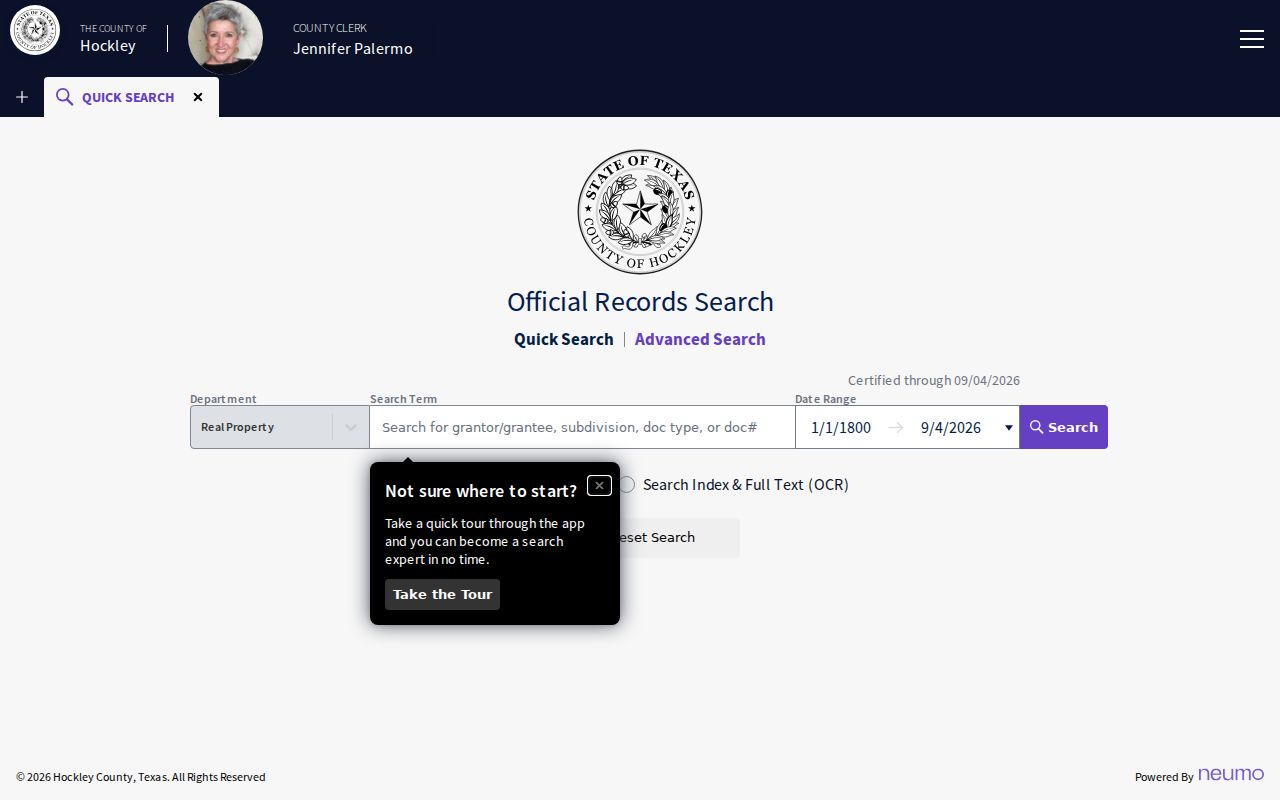
What you get there is a real-property index, not a Hockley County case search. A deed or lien search is fine research. It just answers a different question.
Restricted Cases and Access Rules
Some Hockley County court records stay off limits. Juvenile files, sealed cases, expunged matters, and sensitive family content may be missing or trimmed, and public copies can black out personal data. Texas Rule of Civil Procedure 76a handles sealing in civil cases. Criminal expunction rules and the Family Code set the other limits. A blank docket search proves nothing.
When a Hockley County case lookup comes back empty, check the spelling and the court first. Then scan nearby docket dates and call the right clerk. Ask whether an older index or a restricted-access process applies. The District Clerk sits in Suite 316 at 806-894-8527; the County Clerk in Suite 213 at 806-894-3185. Mail goes to 802 Houston Street, Levelland, TX 79336. Before you send anything private, confirm the fax line, fees, identification rules, and delivery terms.
Justice citations may route through the county-linked GovRec payment page, which handles those fines online.
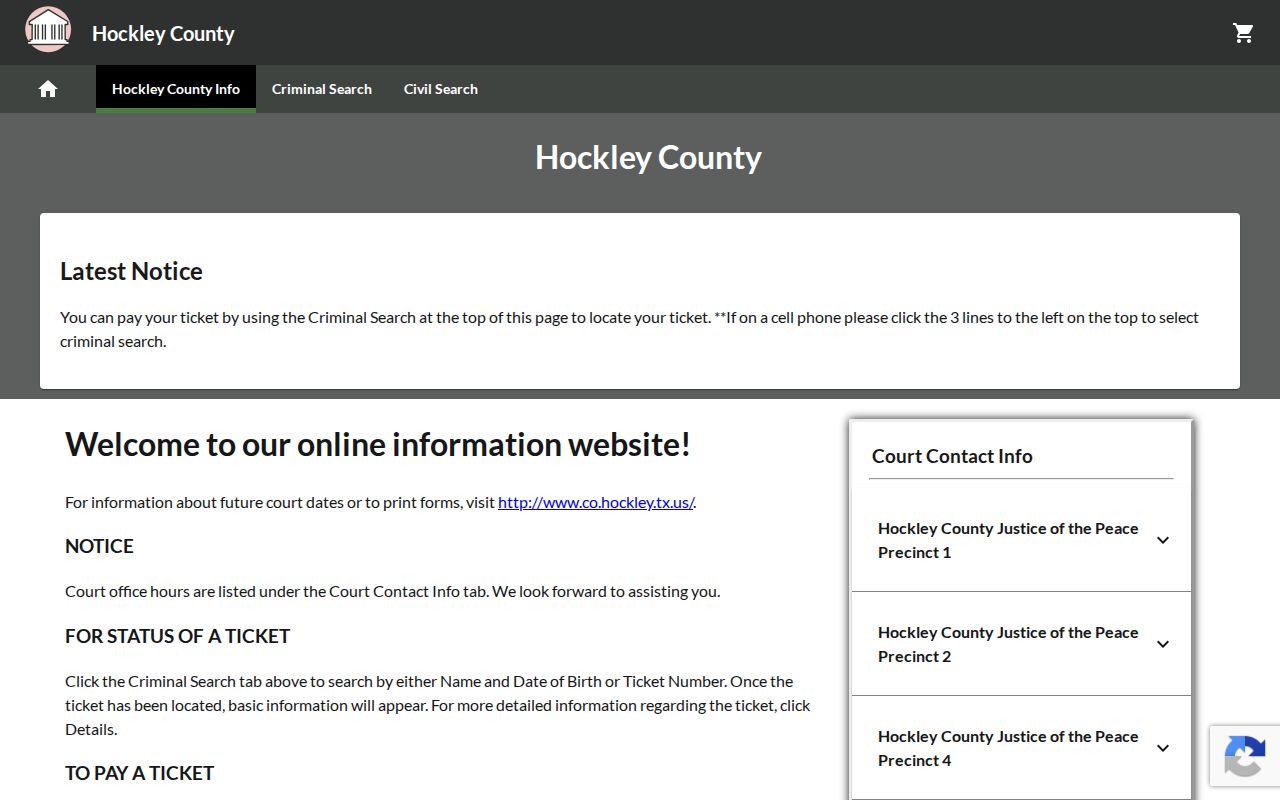
That page is a payment route organized by selected JP court. It lists courts rather than a full public search of fields. For a Hockley County docket search, the citation number and the issuing court remain your best lookup keys.
Older Hockley County Case Lookups
An older Hockley County case may not surface in a portal query. The posted County Court archive goes back to at least 2017. Beyond that, a docket can arrive as an image scan. Your browser's find tool simply cannot read it. So pick up the phone. Ask the proper clerk to check a legacy index, a bound book, microfilm, or an archived image. Give the court, the case type, a party name, and the approximate filing year. Say what document or event you need. Offer a narrow date range, too. That helps the office pull the right court record without mistaking a failed search for proof that no case exists.